Nikon AF-C Focus Box Not Turning Green? Here’s the Fix

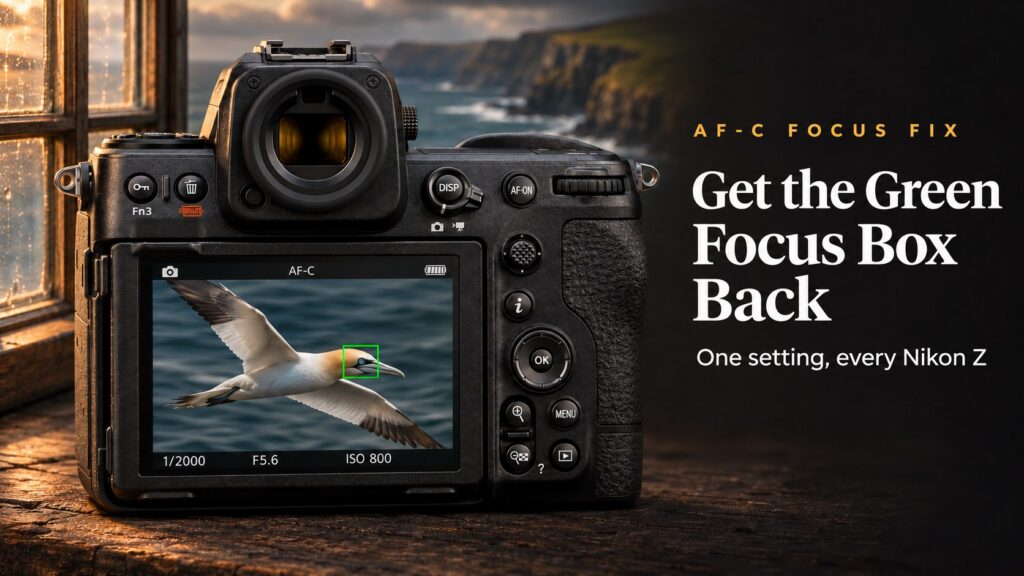
If you shoot in AF-C on a Nikon Z camera, you have probably noticed something odd. In AF-S, the focus box turns green the moment focus locks. In AF-C, it stays red or yellow no matter what, so you get no visible confirmation that your subject is actually in focus.
Nothing is wrong with your camera. It is simply a setting that is switched off by default and it is one of the first things I change on every new Nikon body. Here is how to fix it.
Why the Focus Box Stays Red in AF-C
In AF-S the camera focuses once and locks, so it can easily confirm focus with a green box. In AF-C the camera keeps adjusting focus as long as you hold the button, so Nikon leaves the confirmation off by default.
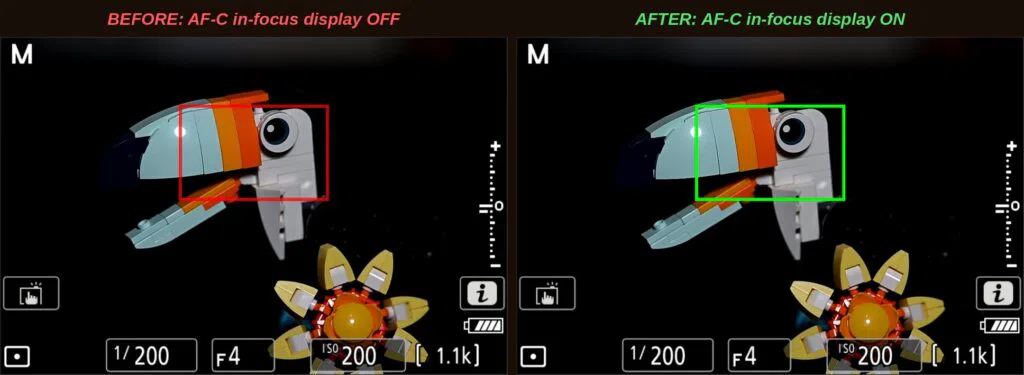
Switch on AF-C in-focus display and the box turns green whenever the camera judges the subject to be in focus, even while it keeps tracking. Once you have used it, you won’t want to go back.
The Fix, Camera by Camera
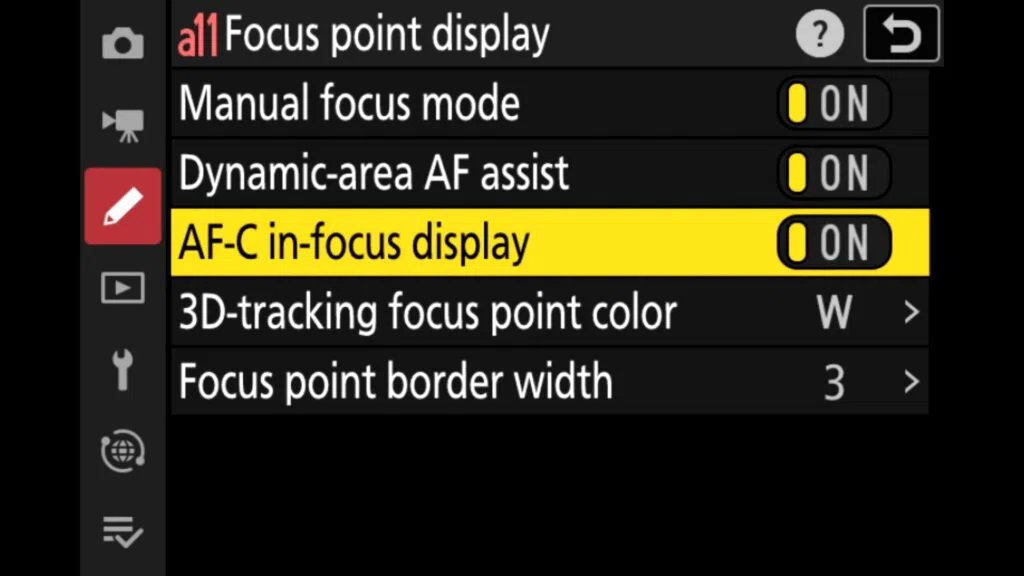
The setting lives under Focus point display in the Custom Settings menu (the pencil icon), but its number differs between cameras.
Nikon Z8
Menu path: MENU > Custom Settings menu > a Focus > a11 Focus point display > AF-C in-focus display > ON
Every Z8 setting like this, offline in your pocket. Get the Z8 Pro Guide app →
Nikon Zf
Menu path: MENU > Custom Settings menu > a Focus > a10 Focus point display > AF-C in-focus display > ON
See my Nikon Z camera guide apps →
Nikon Z6III
Menu path: MENU > Custom Settings menu > a Focus > a10 Focus point display > AF-C in-focus display > ON
Every Z6III setting like this, offline in your pocket. Coming soon. Join the Z6III app waitlist →
Nikon Z9
Menu path: MENU > Custom Settings menu > a Focus > Focus point display > AF-C in-focus display > ON
Every Z9 setting like this, offline in your pocket. Coming soon. Join the Z9 app waitlist →
Nikon Z5II
Menu path: MENU > Custom Settings menu > a Focus > Focus point display > AF-C in-focus display > ON
Every Z5II setting like this, offline in your pocket. Coming soon. Join the Z5II app waitlist →
Now switch to AF-C, focus on your subject and you will see the box turn green as focus locks.
What About the Z6II and Z7II?
The Z6II and Z7II don’t have an AF-C in-focus display option, so the focus point stays red in AF-C. The workaround is to watch the focus point closely, or to use AF-S for still subjects where you want that green confirmation.
Nikon Z7II
Note: No AF-C in-focus display option. Use AF-S when you want the green confirmation on a still subject.
Every Z7II setting like this, offline in your pocket. Coming soon. Join the Z7II app waitlist →
Shooting with a Z8? Visit my Nikon Z8 hub.
FAQ
Why is my Nikon focus point red in AF-C?
Because AF-C in-focus display is switched off by default. Turn it on under Focus point display in the Custom Settings menu.
Does the green box mean my photo will be sharp?
It means the camera judges the subject to be in focus at that moment. With fast-moving subjects, combine it with a good AF-area mode and a fast enough shutter speed.
Does this work in video mode?
This setting applies to stills shooting in AF-C.
My Z8 Pro Guide app is out now, the Z6III app launches on 26 November and apps for the Z9, Z7II and Z5II are coming soon. Each one explains every button, menu and setting and works fully offline. See all my Nikon Z camera apps.
- 21 November 2026: First published.