How to Set Up Back Button Focus on Nikon Z Cameras

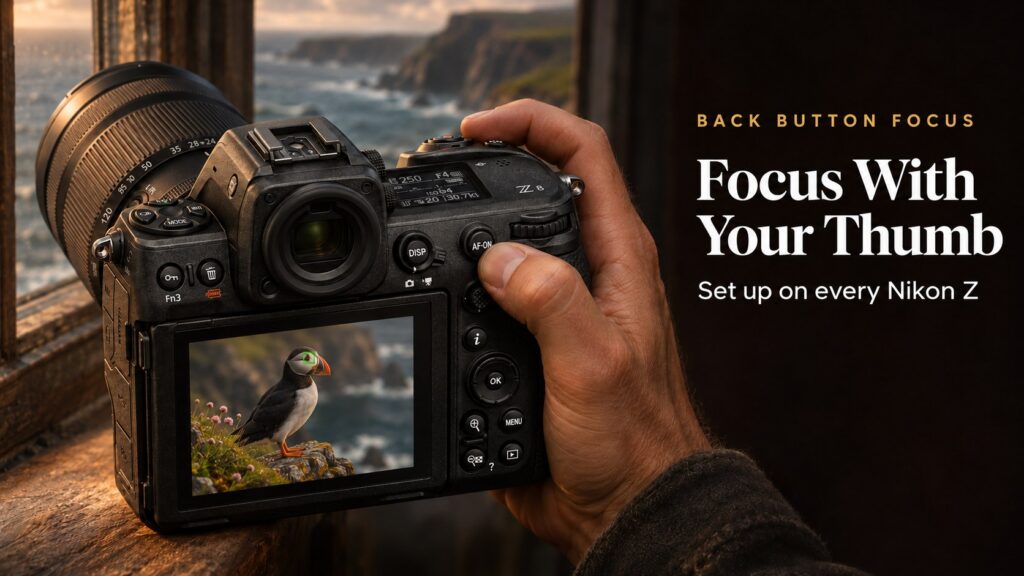
Back button focus has been one of the biggest upgrades to my photography. It does take a little time to build the muscle memory, so don’t expect miracles overnight, but once it clicks you will never go back. I use it on every Nikon camera I own.
What Is Back Button Focus?
By default, half-pressing the shutter button both focuses and meters. Back button focus splits those jobs. The shutter button only takes the picture and a button on the back of the camera, usually AF-ON, does the focusing.
Why I Use It
- Focus and recompose without refocusing. Focus once, let go of the button and the focus stays put while you recompose.
- Switch between AF-S and AF-C behaviour in an instant. In AF-C, hold the button to track; let go and focus effectively locks.
- No accidental refocusing when you press the shutter for the next frame.
- Perfect for tripod work. Focus once and fire off as many frames as you want, which is ideal for landscapes and long exposures.
How to Set It Up, Camera by Camera
There are two parts on every camera: stop the shutter button focusing, then make sure a button on the back does the focusing. Cameras with a dedicated AF-ON button only need the first part.
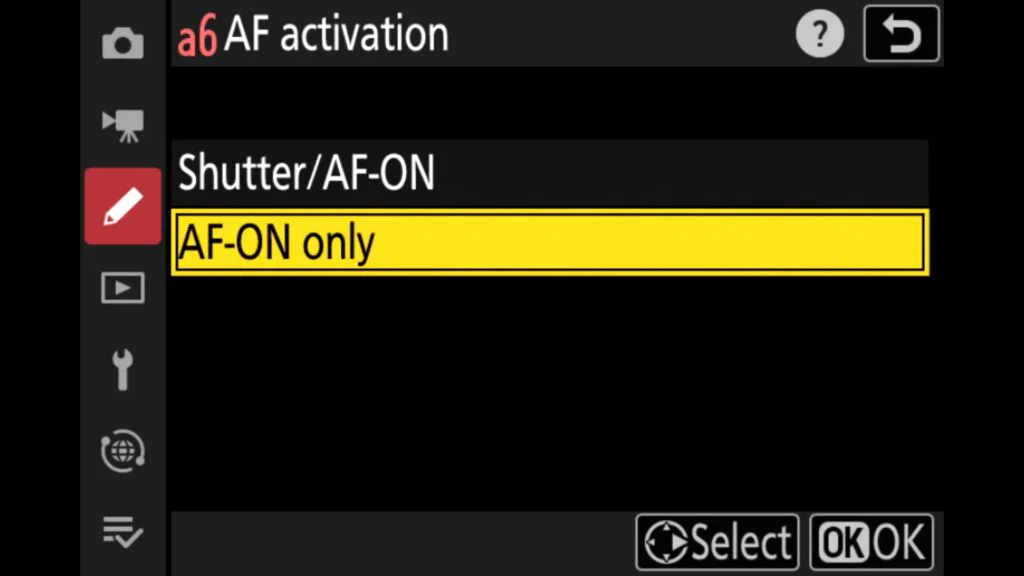
Nikon Z8
Menu path: MENU > Custom Settings menu > a Focus > a6 AF activation > AF-ON only.
The AF-ON button already focuses by default, so that is all you need.
Every Z8 setting like this, offline in your pocket. Get the Z8 Pro Guide app →
Nikon Z9
Menu path: MENU > Custom Settings menu > a Focus > AF activation > AF-ON only.
The AF-ON button already focuses by default.
Every Z9 setting like this, offline in your pocket. Coming soon. Join the Z9 app waitlist →
Nikon Z6III
Menu path: MENU > Custom Settings menu > a Focus > a6 AF activation > AF-ON only.
The AF-ON button already focuses by default.
Every Z6III setting like this, offline in your pocket. Coming soon. Join the Z6III app waitlist →
Nikon Z5II
Menu path: MENU > Custom Settings menu > a Focus > AF activation > AF-ON only.
Use the AF-ON button on the back to focus.
Every Z5II setting like this, offline in your pocket. Coming soon. Join the Z5II app waitlist →
Nikon Z7II
Menu path: MENU > Custom Settings menu > a Autofocus > AF activation > AF-ON only.
This works the same way on the Z6II, Z7 and Z6.
Every Z7II setting like this, offline in your pocket. Coming soon. Join the Z7II app waitlist →
Nikon Zf
Menu path: 1. MENU > Custom Settings menu > a Focus > a6 AF activation > AF-ON only.
2. f Controls > f2 Custom controls (shooting) > AE-L/AF-L button > AF-ON.
The Zf has no AF-ON button, so the AE-L/AF-L button takes over. My Zf best settings guide covers this and 14 other changes.
See my Nikon Z camera guide apps →
Using It with AF-S and AF-C
In AF-C, hold the AF-ON button and the camera tracks your subject continuously. Take your thumb off and focus stays where it was, so you can recompose freely.
In AF-S, press AF-ON once to focus and lock, then take as many shots as you like without the camera refocusing.
Many photographers, myself included, leave the camera in AF-C almost all the time and simply use the thumb to decide when focus tracks and when it holds. Combine it with the AF-C in-focus display so the box turns green when focus is locked; see how to turn the focus box green in AF-C.
Shooting with a Z8? Visit my Nikon Z8 hub.
FAQ
Do professional photographers use back button focus?
Many do, especially for weddings, events, sport and wildlife, because it gives complete control over when the camera focuses.
Why won’t my Nikon focus when I half-press the shutter?
If AF activation is set to AF-ON only, the shutter button no longer focuses. Use the AF-ON button, or set AF activation back to Shutter/AF-ON.
Can I still use the shutter button to focus sometimes?
Yes. Set AF activation back to Shutter/AF-ON whenever you want, or save each setup to a different memory bank or user setting.
My Z8 Pro Guide app is out now, the Z6III app launches on 26 November and apps for the Z9, Z7II and Z5II are coming soon. Each one explains every button, menu and setting and works fully offline. See all my Nikon Z camera apps.
- 21 November 2026: First published.